Images are here — make your posts stand out
Text-only posts are fine. But let’s be honest — posts with images get more attention.
Whether you’re sharing a screenshot, a chart, or a meme that fits the conversation, images make your content harder to scroll past.
BlueOrbit now supports images in every type of post: regular posts, threads, scheduled posts, and drafts.
What you can do
- Upload images directly from the post composer — jpeg, png, and webp, up to 1 MB each
- Add up to 4 images per post with custom alt text for accessibility
- Include images in threads — each post in a thread can have its own set of images
- Schedule posts with images — your planned content looks exactly how it will appear
- Save drafts with images — come back later without losing your media
How it works
When you open the post composer, you’ll see an image uploader below the text area. Click it to select images from your device.
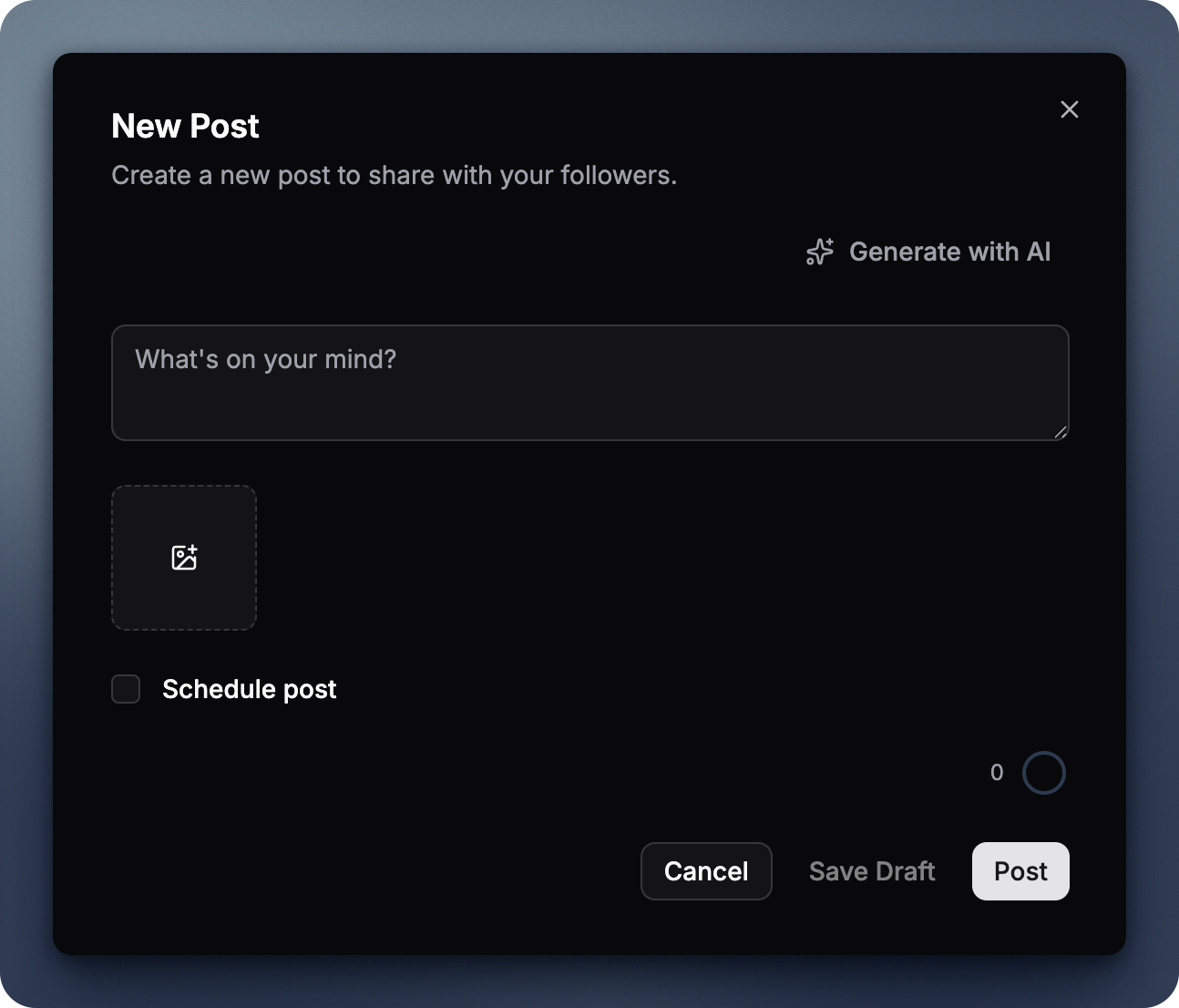
Each image shows a preview with an optional alt text field. Alt text is important — it describes your image for people using screen readers and shows up when images fail to load.
When you publish, BlueOrbit uploads each image to your Bluesky account’s repository and attaches them as embeds. The images live on your PDS, not on BlueOrbit’s servers.
Images in threads
Threads got the same treatment. Each post in a thread can have its own images — up to 4 per post, same as regular posts.
The thread composer shows an image uploader on every post card. Add images to the first post, the last post, or all of them. When you publish, each post goes out with its own embedded images.
Scheduled posts and drafts
Images work everywhere you can create content:
- Scheduled posts — images are stored with the post and published when the scheduled time arrives
- Drafts — images are saved in the draft, so you can pick up where you left off
- Thread drafts — each thread post in a draft keeps its images attached
No more “I’ll add the images later” — they’re part of your content from the start.
Limits
- 4 images per post — Bluesky’s limit, not ours
- 1 MB per image — keeps uploads fast
- jpeg, png, webp — the formats Bluesky supports
- 2,000 characters per alt text — plenty of room for detailed descriptions
Your images never touch our servers
When you select an image, BlueOrbit sends it directly to your Bluesky PDS — the server that hosts your account. The image bytes never pass through BlueOrbit’s infrastructure in a way we could store or inspect them.
What BlueOrbit stores is a blob reference — a short pointer that says “this image lives at this location on your PDS.” It’s like a bookmark, not a copy. The actual image stays on your server.
This matters for scheduled posts. You might worry: “If I schedule a post with a photo, does that photo sit on BlueOrbit’s servers for days?” No. The image is uploaded to your PDS the moment you add it. When the scheduled time arrives, BlueOrbit just tells your PDS to attach the blob reference to the new post. The image was already on your PDS the entire time.
The same applies to drafts. A draft with images stores the blob references, not the images themselves. If you delete your BlueOrbit account, your images are untouched — they’re on your PDS.
What didn’t change
- Text-only posts still work the same way
- Replies don’t show the image uploader (Bluesky replies with images are less common)
- The 300-character text limit per post is unchanged
- Thread limits (2–25 posts) are the same
Getting started
The feature is live now. Open the post composer, click the image uploader, and try it out.
If you’re scheduling posts, add an image before you set the time — it’ll be there when the post goes out.