Never lose momentum — workflow pause notifications are here
Your workflow is running. Followers are trickling in. Engagement is climbing. Then your Bluesky session expires — and your workflow silently pauses.
You don’t notice for three days. By then, you’ve lost momentum, and your competitors have moved ahead.
That’s fixed. BlueOrbit now sends you a DM the moment your workflow pauses. Only if you want.
The problem
When your Bluesky OAuth token expires, BlueOrbit pauses your active workflows. This protects you from errors — but it created a blind spot.
You’d only discover the pause when you opened the dashboard. For users running multiple workflows, that could mean days of lost growth before catching it.
What changed
Now, when a workflow pauses due to a session issue, BlueOrbit:
- Pauses your workflows (same as before)
- Creates an in-app notification (same as before)
- Sends you a Bluesky DM (new!)
The DM tells you exactly what happened and what to do:
Your BlueOrbit workflow has been paused because your Bluesky session expired. Please log in to BlueOrbit to re-authenticate and resume your workflow.
No more guessing. No more checking the dashboard just in case. The message comes to you.
You’re in control
Not everyone wants DMs. Maybe you check the dashboard regularly. Maybe you prefer in-app notifications only.
BlueOrbit lets you choose. Head to Account Settings > Notifications and toggle “DM notifications” on or off.
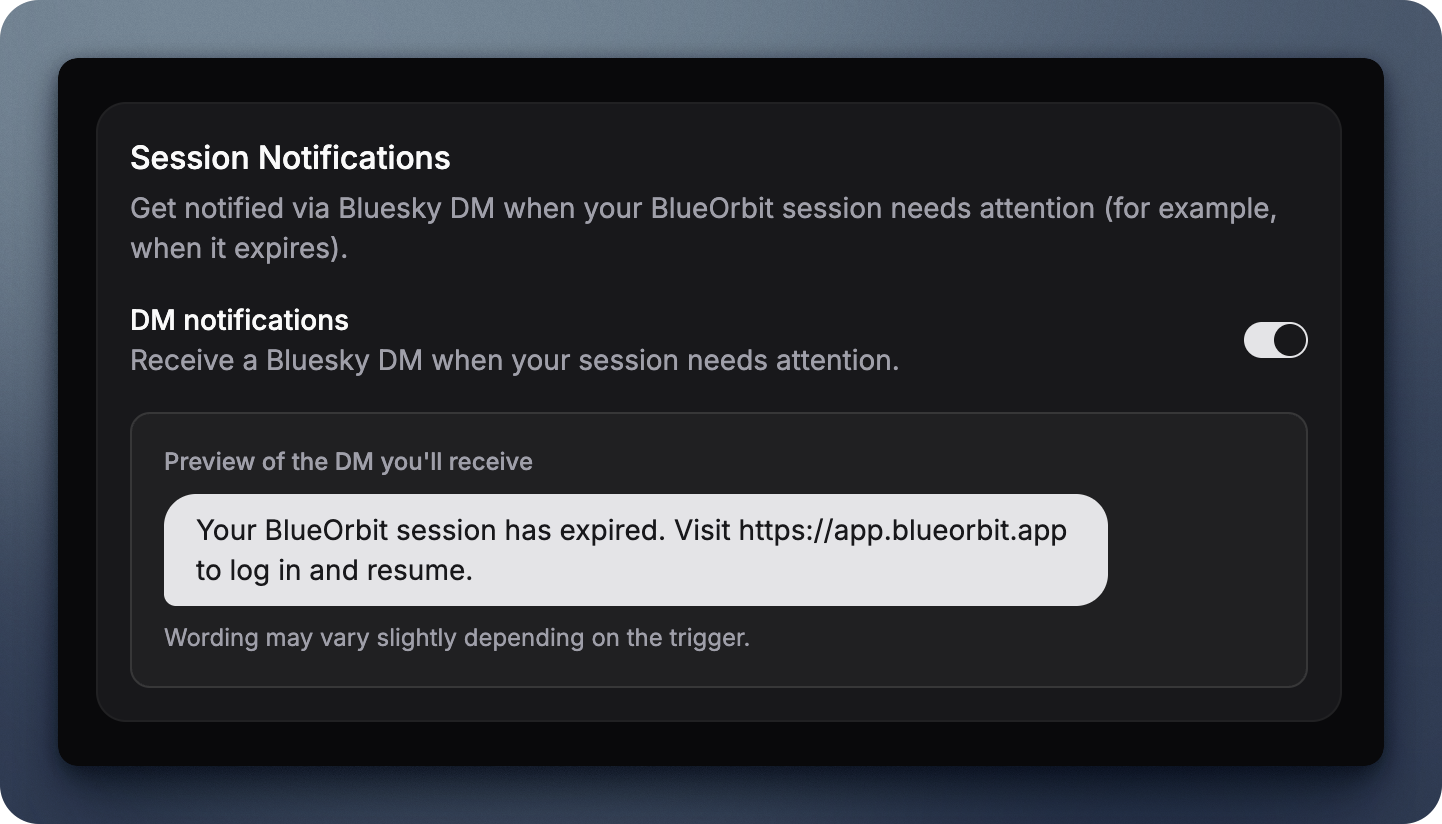
The toggle controls whether Bluesky DMs are sent when workflows pause. In-app notifications always appear regardless — the DM is an extra layer, not a replacement.
How it works under the hood
When your OAuth token fails, BlueOrbit checks three things before sending a DM:
- Do you have active workflows? No pause = no DM
- Is DM enabled in your preferences? If you turned it off, no DM
- Can we reach your Bluesky account? If the DM fails, the in-app notification still appears
The DM is best-effort. If Bluesky’s messaging system is down or your tokens are completely invalid, BlueOrbit doesn’t retry or spam you. The in-app notification is your reliable fallback.
Deduplication
If multiple workflows pause at the same time (common when your session expires), you get one DM — not five. BlueOrbit ties the DM to the notification, not each individual workflow pause.
Delivery status
Every notification tracks whether the DM was sent successfully. If it failed, the error is recorded in the notification metadata. You can see this in your notification history.
What didn’t change
- Workflows still pause on token failure (same protection)
- In-app notifications still appear (same reliability)
- The pause reason is still stored on the workflow (same debugging info)
- Other pause triggers (subscription cancelled, manual pause) don’t send DMs
Getting started
The feature is live now. DM notifications are enabled by default — if you want to turn them off, head to Account Settings.
If you’re new to BlueOrbit, sign up and set up your first workflow. When your session expires (it happens to everyone), you’ll get a heads-up instead of a surprise.